

Citations and network sources
Four tiles sit above the table. AI responses counts the answers captured in the window, across every engine and prompt. The percentage columns in the table are all measured against it. Domains counts unique hostnames in the window. youtube.com is one domain no matter how many URLs came from it. Citations counts the times an engine put a source on screen — a chip, a footnote, or a sources-panel row. This is the level a reader sees. Citations is the dedicated view for it. Network sources counts the URLs an engine quietly fetched while drafting and then never showed the reader. That gap is the interesting part. It’s the difference between what an engine considered and what it was willing to put its name behind.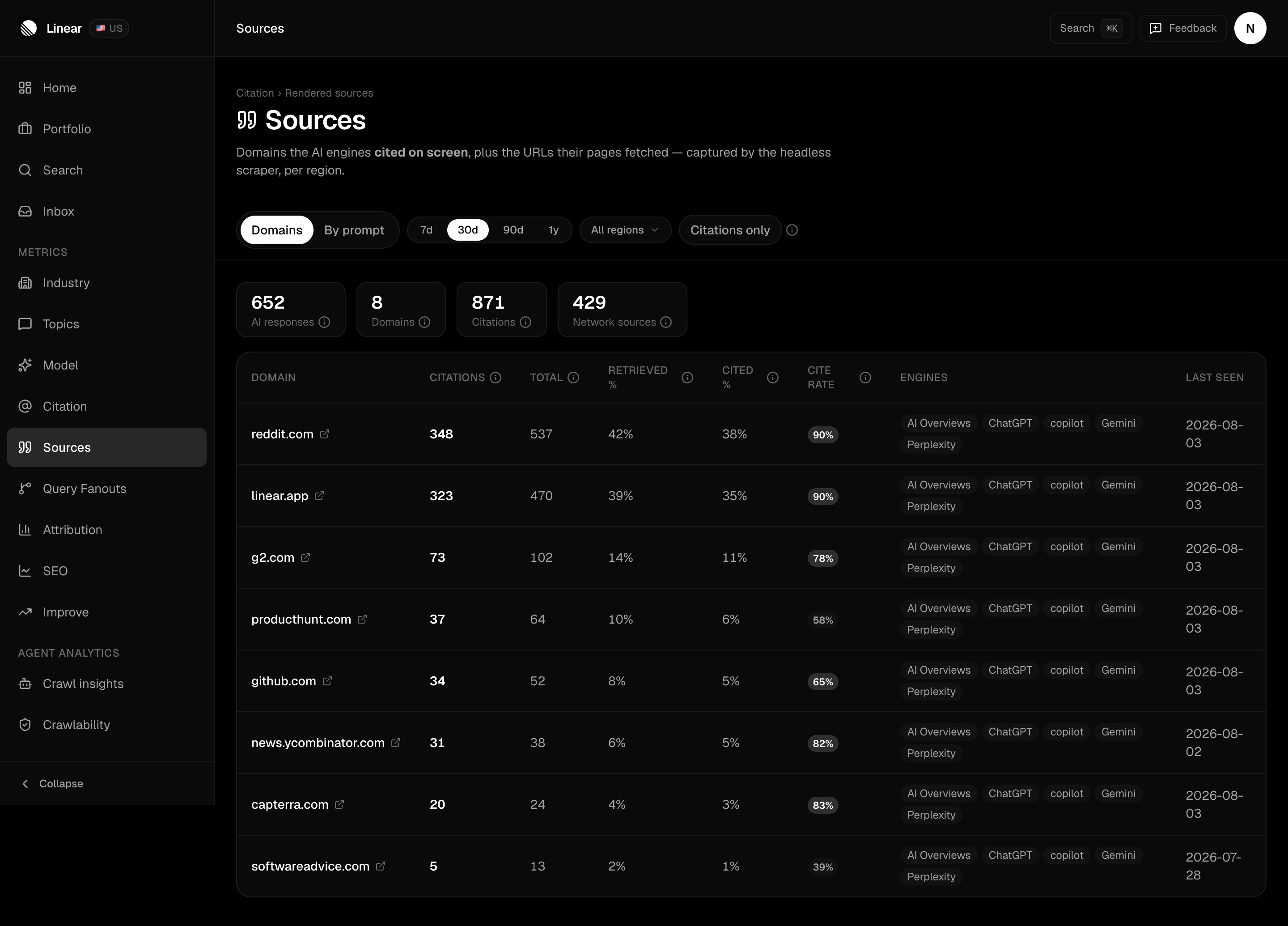
Read across a row to see the gap per domain: linear.app was pulled 470 times and shown 323 of them.
This is observed data, not an estimate — it’s what the engines actually loaded while answering. It only exists once a scan has run, so the page stays empty until then. Free plans don’t get scheduled scans — see Plans and limits.
The two views
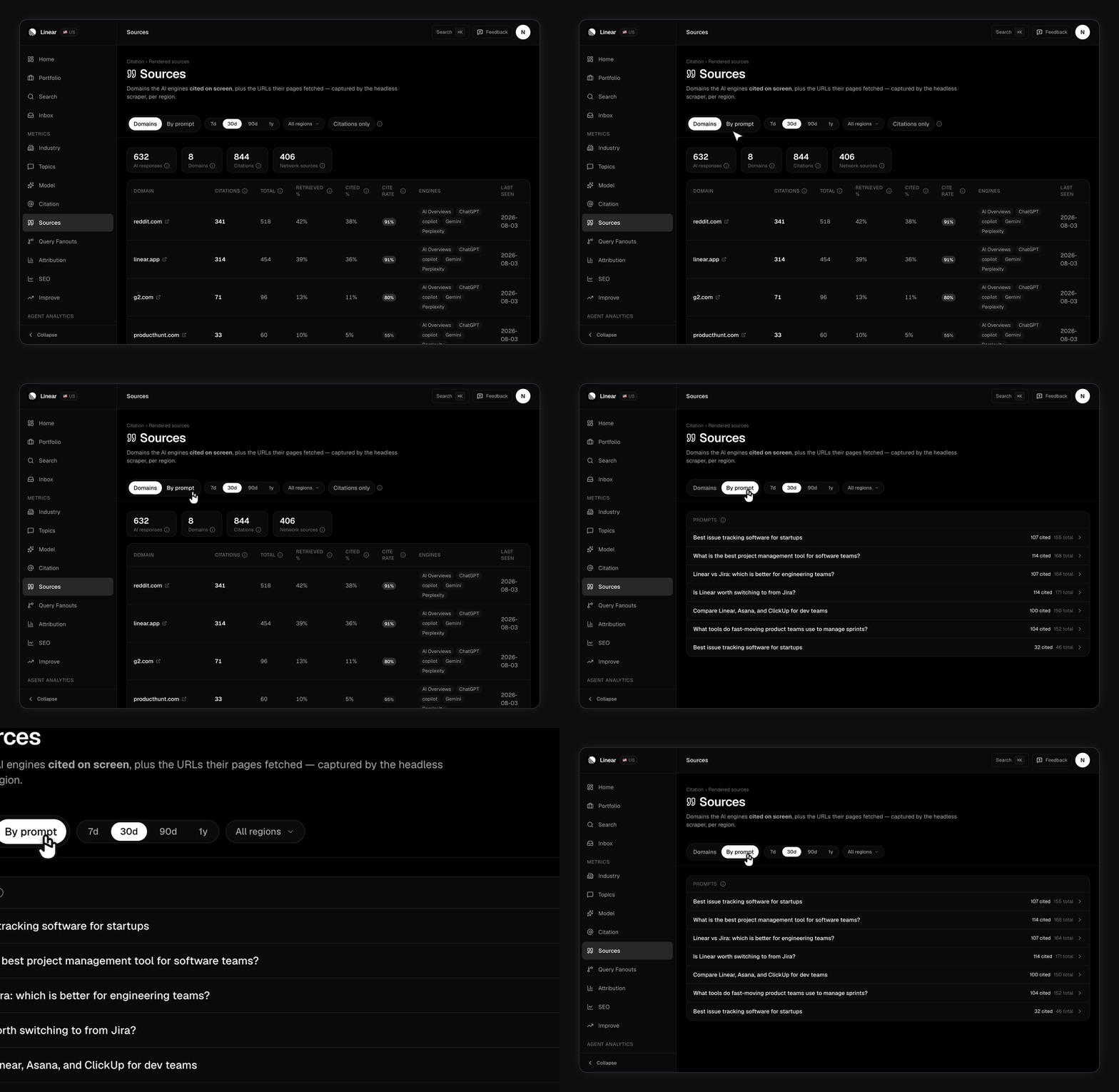
- Total covers both levels, shown and fetched, so it’s always the larger number.
- Retrieved % is how often the domain turned up at all.
- Cited % is how often it was shown on screen.
- Cite rate is the one to read first: when an engine pulls this domain, how often does it actually show it?
cited or network. This is where you find out that one prompt is quietly feeding an engine a competitor’s comparison page.
Filter both views by date range and region.
How do you read the cite rate?
Compare a domain’s Citations column against its Total column, or just read the Cite rate column. Three patterns are worth acting on. High total, low citations. The engines keep fetching this site and keep deciding not to show it. It’s in the retrieval pool but not trusted enough to display. A placement there is worth less than the raw numbers suggest. High total, high citations. The engines both read it and quote it. This is the strongest placement target in your category. Your own domain, low on both. The engines aren’t reaching your pages at all. That’s a content and structure problem before it’s a placement problem. Improve turns this into specific work.Finding placement and partnership opportunities
Sources is the most direct path from a number to a task. A working method:1
Filter to citations only
Start with what readers actually see. Everything else is context.
2
Find the domains you're absent from
Sort by citations. The top domains that don’t mention you are shaping your category’s answers without you in them.
3
Check the category on the Citations page
A high-citation domain in the Earned Media bucket is a pitch. One in Social is a thread to join. One in Institution is a listing to get into. See Citations.
4
Open the example URL
Read the exact page the engine cited. Often it’s a roundup you can ask to join, or a comparison with your details out of date.
5
Confirm with By prompt
Check which prompt pulls that domain. That tells you which customer question the placement will influence.