

How competitors get detected
Automatically, from your prompt results. Run a non-branded prompt like “best issue tracker for a small engineering team” and whichever brands the model names get counted. They appear in your industry ranking with their mention count and share. Nothing is populated during setup. Your competitor list is a by-product of your prompts, which is another reason to keep most of them non-branded. See Setting up your prompts.If a rival never appears, that’s data, not a gap. It means the models aren’t naming them for the questions you track.
Pinning a competitor
Pinned competitors always appear in your ranking, even with zero mentions. They show as “Watching” until they surface. Pin them from the Tracked competitors card on the Industry page. The add field asks for the company’s domain, likedrift.com — a domain is unique and lets FixAEO fetch their logo. A plain brand name works too. Beside it sits a suggestion row built from the top of your current ranking. The suggestions skip your own brand and anything you’ve already pinned.
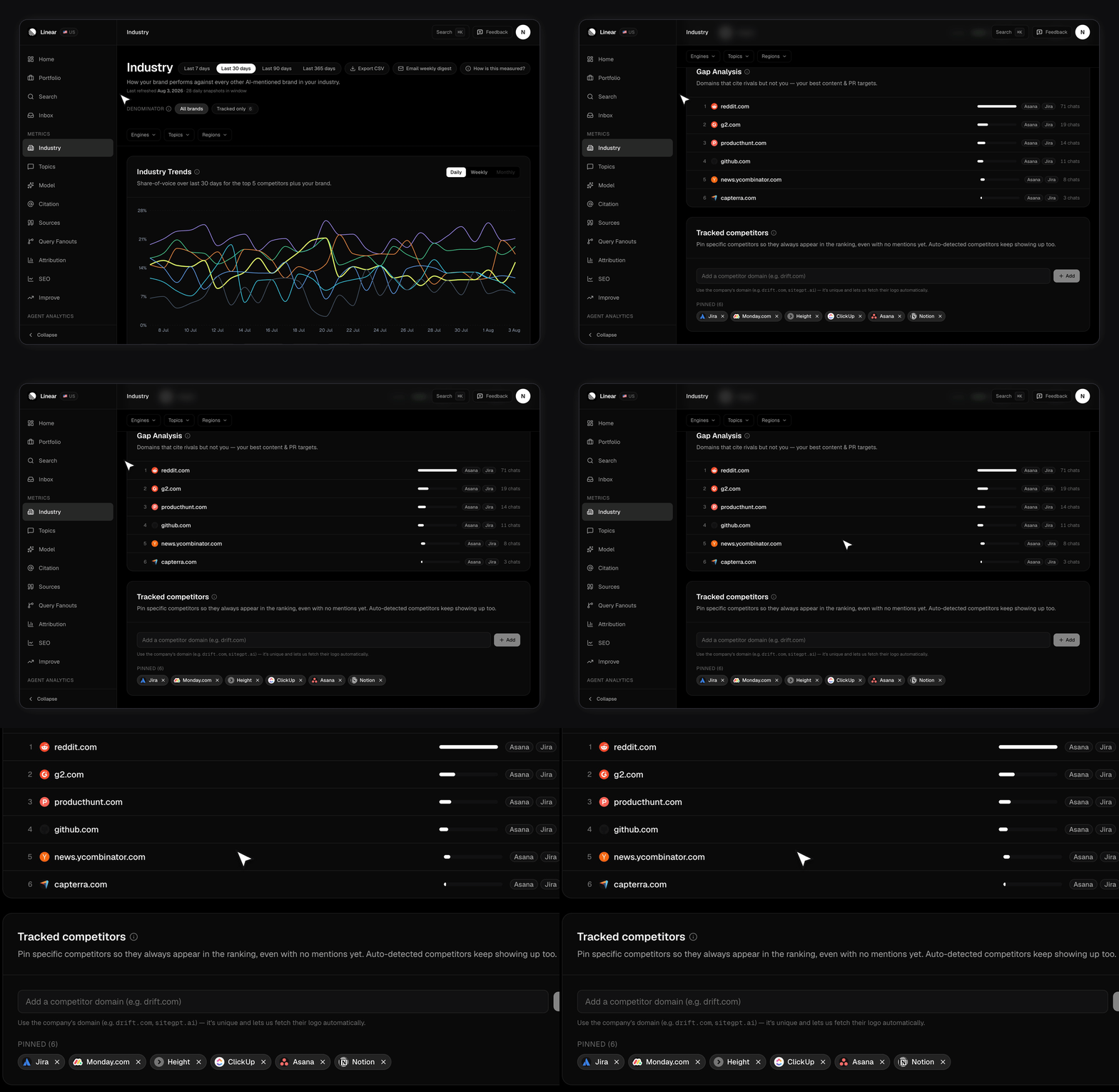
- All brands divides your mentions by every brand the scanner detected.
- Tracked only divides by you plus your pinned competitors.
Competitor domains are a separate list
There’s a second, different list: competitor domains, added from the Competitors card in your brand settings. You enter a domain likestripe.com plus an optional label.
They don’t sync. If you want a rival in both places, add them twice.
How many should you track?
Pin three to five. The trends chart plots your closest rivals against you and rolls the rest into an “Other” line, so a long pin list stops being readable. Pick rivals your buyers actually compare you against, not every brand the models mention. A long pin list makes the ranking noisy and the quadrant unreadable.What the competitive views tell you
- Industry ranking — every brand ranked by share of voice, with mentions and the change since the start of your window. Read Share of voice for how it’s worked out.
- Competitor drilldown — click any row. A Prompts tab shows which of your prompts they win, and a Sources tab shows which domains got cited when they did.
- Competitive quadrant — share of voice on one axis, sentiment on the other, so you can see who’s both visible and well described.
Related
- Industry benchmarks — the page all of this lives on.
- Topics and labels — group the themes where you’re losing.
- Your brand profile — the industry field that frames the whole comparison.