

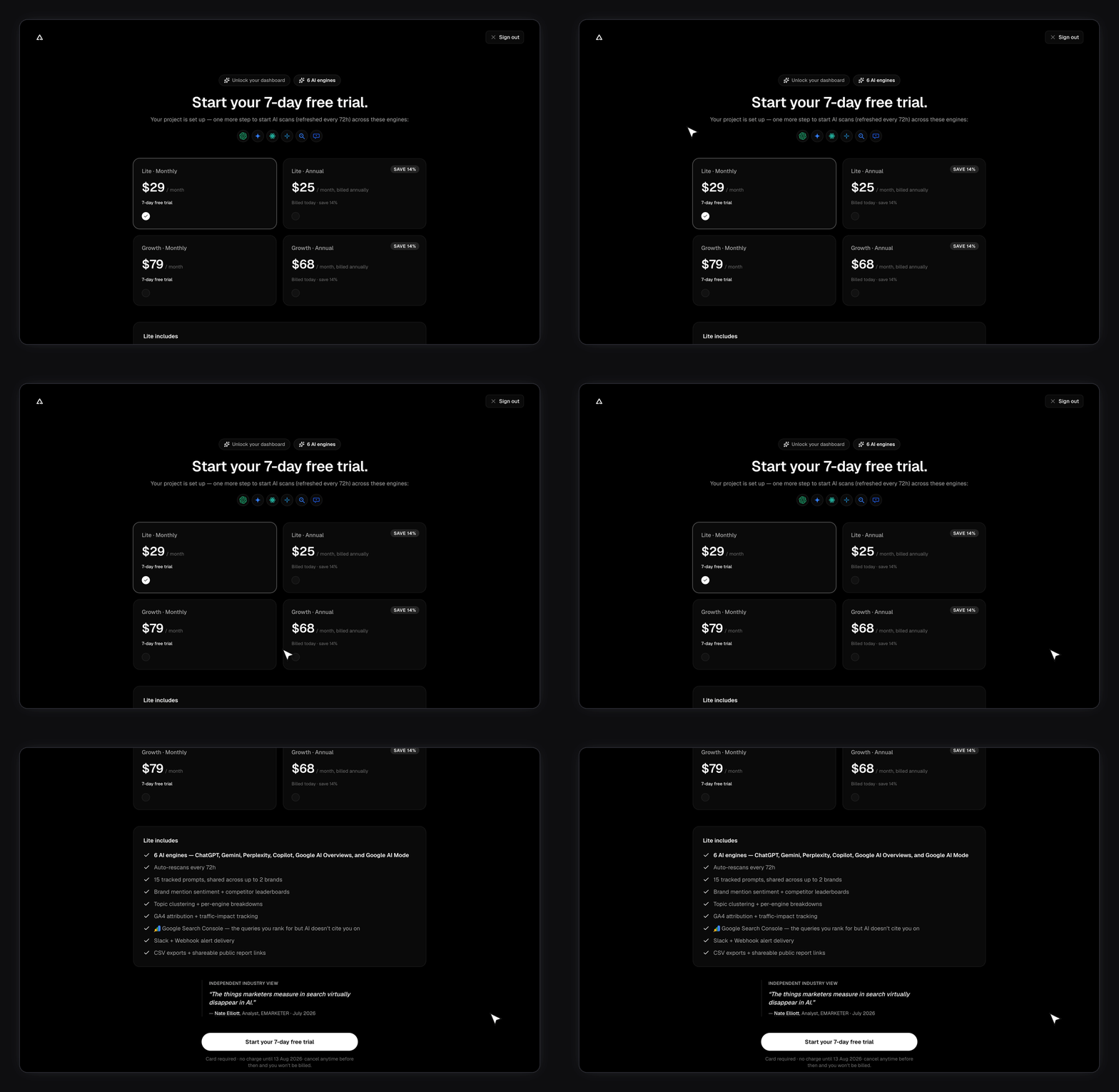
The plan matrix
Two of those columns are reported back to you on each brand’s Overview tab.
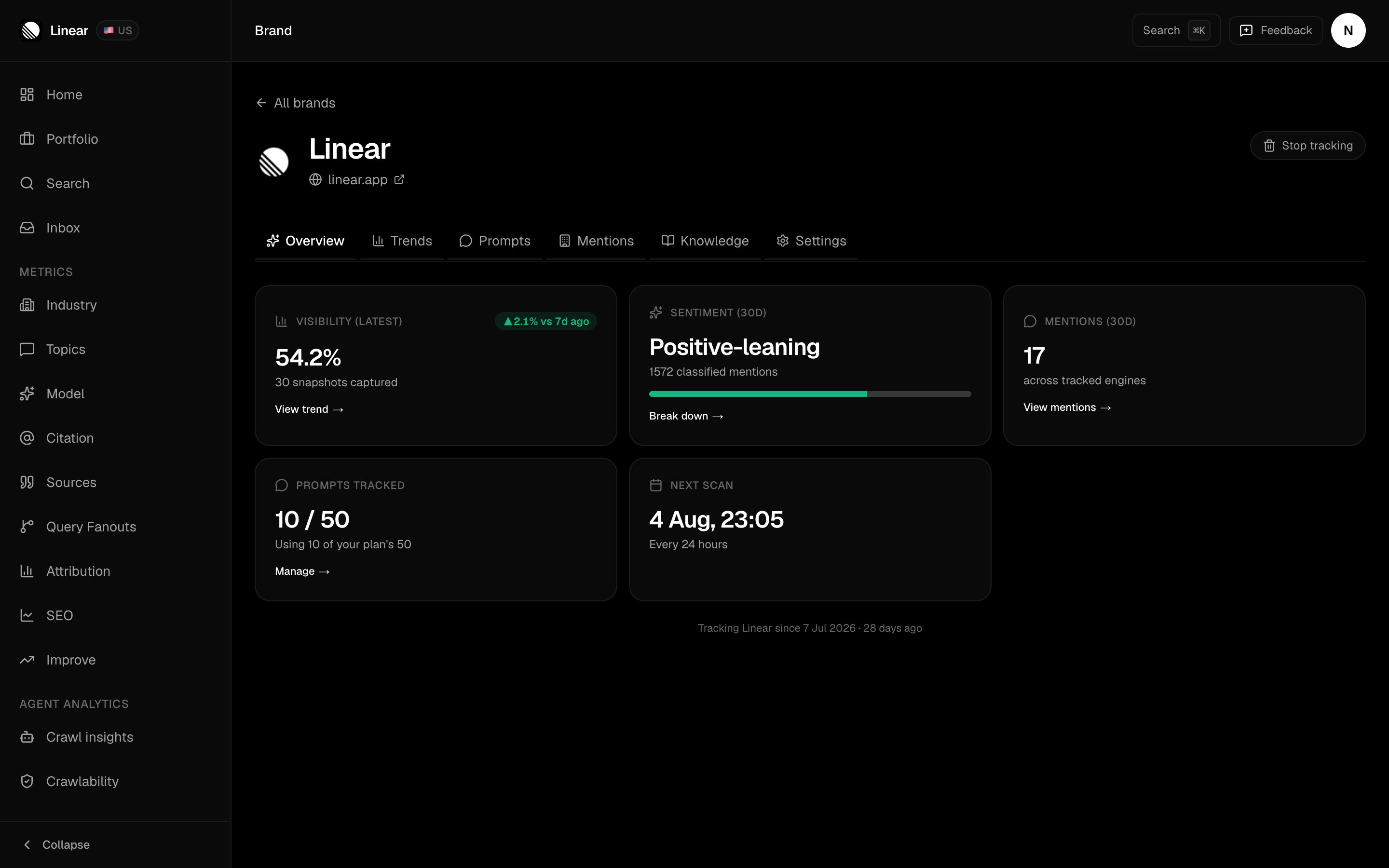
This is the Growth row of the table as the app states it: the prompt pool the brand draws from, and the rescan interval that sets when the next scan lands.
What else your plan sets
The matrix covers the headline limits. A few other allowances move with your plan too. AI Marketer work credits. The AI Marketer runs on a monthly credit allowance: Free none, Lite 100, Growth 400, Enterprise custom. It’s a paid-plan feature. Credits meter the measured cost of the AI work, so heavier tasks draw more than light ones. Your remaining balance shows in Settings → Usage. Workspace seats. How many people can be in your workspace: Free 1, Lite 1, Growth 3, Enterprise custom. Both active members and pending invitations count against the seat limit. See Team and workspaces. Responses analyzed per month. Roughly how much answer volume each scan cycle takes in — about 900 on Lite and about 9,000 on Growth. Free is minimal, since it’s Gemini-only with no scheduled scans; Enterprise is custom.Single sign-on and directory sync are Enterprise-only. A workspace admin can connect an OpenID Connect provider and SCIM directory sync on the Enterprise plan. See Single sign-on and SCIM.
How does the shared prompt pool work?
This is the limit people misread, so it’s worth stating plainly: tracked prompts are a shared account-wide pool, not a per-brand allowance. On Lite you get 15 prompts in total. Not 15 per brand. Track two brands and you split those 15 between them — say 9 on your main brand and 6 on the second. Because the pool is shared, a new brand needs prompt room left in it. If your first brand is using the full allowance, free some up on Setting up your prompts before you add the second one. Brand caps work the other way round — they’re independent. Adding a brand never grants you extra prompts.Which engines does each plan scan?
Lite and Growth scan the same six: ChatGPT, Gemini, Perplexity, Copilot, AI Overviews, and AI Mode. Enterprise scans all nine — those six plus Claude, Grok, and DeepSeek. Those three cost more to run, which is why they sit on the top tier. Any filter that lists engines, like the Platforms dropdown on Citations, only offers the engines your plan scans. You won’t see a Claude option on Lite.What do you get on the free plan?
The whole product, minus the scans. You can sign in, finish setup, add a brand, and pick prompts. Scheduled scans only run for paying accounts, so no answers get captured and your numbers stay empty. FixAEO routes free accounts to the upgrade page rather than leaving you waiting for data that isn’t coming. The AI Marketer is paid-only too. Free and no-subscription accounts are routed to upgrade if they try to open it.Setting up your first brand saves up to 15 prompts no matter which plan you’re on, so nothing you picked during setup is thrown away. Adding more later is capped at your plan’s number.
Can the limits be changed?
Every number in the table is a default, not a hard ceiling. Brand caps, prompt caps, engine sets, and scan frequency can all be raised for your account. When you hit your brand cap, the Brands page shows a Talk to sales card. That’s the fastest route. You can also email sales@fixaeo.com.Picking between monthly and annual
Every paid tier comes in two cadences. Monthly plans include a 3-day card-required free trial; annual plans bill immediately and save 14%. Cancel inside those 3 days and you’re never charged.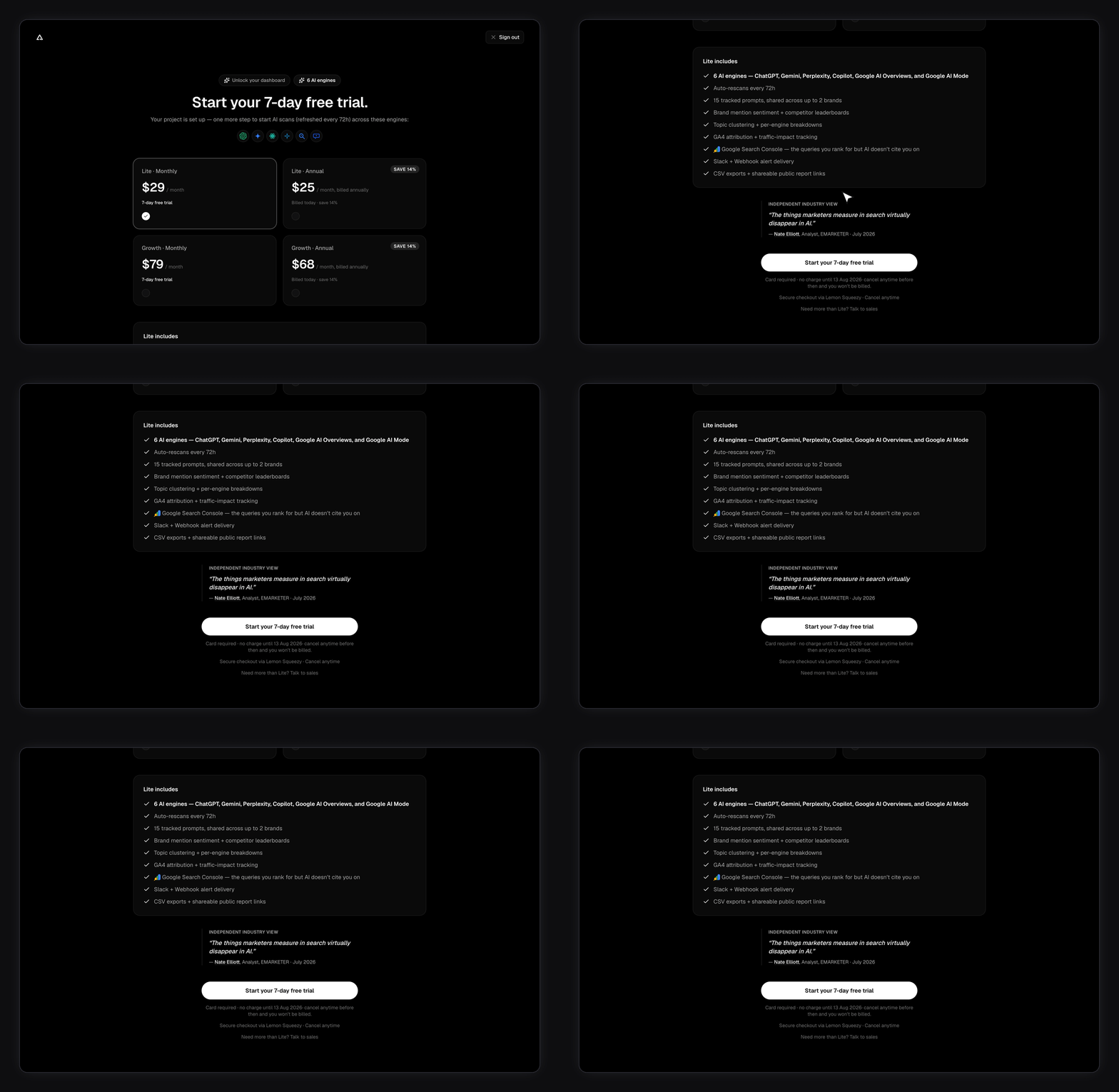
Your current plan and billing
Settings, then Billing. It shows your tier, your status, and your renewal date, plus your invoice history with a download link on each row. You can switch between monthly and annual billing there, or cancel. For live used-vs-limit counters and your AI Marketer credit meter, open Settings → Usage. If you cancel, access continues until the end of the period you’ve already paid for. The status is one of these:If a payment fails
Cards expire and banks decline things. When a renewal charge doesn’t go through, this is what happens. You aren’t locked out immediately. You keep working through a short grace period of about three days, and a banner appears at the top of every page in the app telling you the payment didn’t go through and the exact date your access runs through. Lemon Squeezy does the retrying, not FixAEO. Our payment provider tries the card again up to four times over roughly two weeks, and emails you each time an attempt fails. FixAEO never charges your card itself and doesn’t send its own payment-failure email, so you won’t get two copies of the same news. Those two facts don’t line up, and it’s the thing to plan around: the retries run for about two weeks, but your access only covers the first three days or so. If the card is fixed inside the grace period nothing is interrupted. After that the app locks even though Lemon Squeezy is still trying. While a payment is being retried, the Cancel, Pause and switch-plan buttons are hidden. That’s deliberate — the payment needs to settle before the subscription can change shape. Starting a second checkout is blocked for the same reason: a new subscription could charge you twice if the original payment then succeeds.You can still cancel while a payment is failing — just not from inside FixAEO. Use the Lemon Squeezy billing portal at fixaeo.lemonsqueezy.com/billing, signing in with the email you pay from, or reply to any Lemon Squeezy billing email. You can also email billing@fixaeo.com and we’ll cancel it for you.
Pausing instead of cancelling
Pause isn’t a button on the billing screen. You reach it by clicking Cancel subscription — the dialog that appears offers Pause for a month instead. The rest of how it behaves:- It runs about a month from the moment you pause, not from your renewal date.
- It takes effect straight away. If you pause partway through a month you’ve already paid for, you lose the rest of that period — there’s no credit for the unused days. If you’re pausing to save money, do it close to your renewal date rather than just after it.
- Your plan is set to restart on its own at the end of the pause, and billing starts again then.
- To come back early, email billing@fixaeo.com. There’s a Resume button in Billing, but a paused account gets redirected away from that page before it can be used, so ask us and we’ll resume it.
- It’s only available on a normal, fully paid, active subscription. You can’t pause during a trial, while a payment is failing or still processing, or after you’ve already cancelled.
What happens when a subscription ends
Cancelling on its own removes nothing — you keep everything through the period you’ve paid for. Pausing removes nothing either. When a subscription actually ends — it expires, payment finally fails after every retry, or a charge is refunded — tracked brands are trimmed to what your plan allows. If you’re tracking more brands than that, the extras stop being tracked.Nothing is deleted. A brand that goes over your limit is hidden from your dashboard, but the brand and every bit of its history stay stored. Your prompts aren’t deleted either — the ones on a hidden brand simply stop running, and they stop counting toward your prompt allowance, which frees it up for the brand you still have.
- The brands you added first are the ones kept. The most recently added are hidden first, so the brand you originally signed up to track is the survivor.
- To bring a hidden brand back, use Add brand on the Brands page and run setup again on the same website address. That restores the original brand with its history intact — it isn’t a fresh start.
Related
Managing brands
Adding, switching, and removing brands against your cap.
Setting up your prompts
How to spend your prompt pool well.
Quickstart
From sign-in to your first scan.
Understanding AI answers
What one scan actually captures.
Usage
Live counters and the AI Marketer credit meter.
Team and workspaces
Invite teammates, assign roles, switch workspaces.
AI Marketer
The in-app assistant that reads your data and drafts the work.