

Two different exports
Both set
Content-Disposition: attachment, so your browser saves a file instead of rendering it. Both are Cache-Control: no-store — every download is point-in-time.
The six CSV views
One endpoint,GET /api/v1/me/export, dispatches on a view parameter. Six values are valid.
snapshots is the one view you request by URL rather than by button. It gives you the daily time series behind the trend chart, so it’s the most useful of the six if you’re rebuilding charts elsewhere. There’s a ready-made URL at the bottom of this page.view returns a 400 listing the valid ones. A missing brand= on the three views that need it returns 400 too.
What’s in each view?
brands — one row per tracked brand
brands — one row per tracked brand
Columns:
brand_slug, brand_name, domain, scan_frequency_hours, added_at.Configuration only, no metrics. scan_frequency_hours is the rescan interval your plan sets — see Plans and limits.snapshots — one row per day
snapshots — one row per day
Columns:
date, citation_rate, brand_mentions, total_responses, sentiment_pos, sentiment_neu, sentiment_neg.This is the daily rollup behind your trend chart. It’s scoped to the brand’s region, and honors range.brand_mentions and total_responses are the two counts your Visibility Score is built from: how many captured answers named you, out of how many were captured that day. Work from those two columns rather than citation_rate, which is a legacy name.mentions — one row per answer that named you
mentions — one row per answer that named you
Columns:
date, engine, sentiment, confidence, prompt, snippet, source_url.The raw evidence rows: which engine, which prompt, and the snippet of text that mentioned you. confidence is how sure FixAEO is of the sentiment on that row, and is blank where sentiment wasn’t scored. Filter with sentiment=pos|neu|neg.prompts — one row per tracked prompt
prompts — one row per tracked prompt
Columns:
prompt_text, is_active, created_at, last_snapshot_date.is_active tells you whether the prompt is still being scanned. last_snapshot_date is blank for a prompt that has never been scanned — a quick way to spot prompts added since your last scan. See Setting up your prompts.domains — one row per cited domain
domains — one row per cited domain
Columns:
rank, domain, category, count, share_pct, engines, latest_date, authority, is_owned, is_competitor.engines is pipe-delimited, like chatgpt|perplexity. share_pct is that domain’s share of all citations in the window. authority is the domain authority score, blank when FixAEO hasn’t looked it up yet.This export honors every filter on the Citations screen: range, q, topic, engines, regions, tags, personas, and bucket. Narrow the table on screen, and the CSV matches what you’re looking at.industry — one row per brand in the ranking
industry — one row per brand in the ranking
Columns:
rank, name, mentions, share_pct, delta_pp, sentiment_pos, sentiment_neu, sentiment_neg, is_own, is_pinned.delta_pp is the change in percentage points against the previous window of the same length. is_own marks your row among the competitors. Honors range, engine, topic, region, language, and brand_slug. See Industry.The portfolio CSV
Multi-brand accounts get a seventh export on its own endpoint:GET /api/v1/me/portfolio/export.csv. It’s the Export CSV button on the Portfolio page.
One row per brand, 18 columns: brand_slug, brand_name, domain, vertical, region, language, range_days, has_data, citation_rate_pct, citation_delta_pct, brand_mentions, total_responses, sentiment_pos, sentiment_neu, sentiment_neg, latest_scan_date, top_engine, top_engine_rate_pct.
The filename encodes the filters, like portfolio-us-en-30d-2026-08-04.csv, so repeat exports don’t overwrite each other.
Two things about this one are easy to misread:
citation_rate_pctis the Visibility Score, despite the column name — the same number the dashboard shows.citation_delta_pctis the change in percentage points.- Metric cells are blank, not zero, for brands with no data yet.
has_dataisfalseon those rows. Blank keeps a pending brand from dragging your spreadsheet averages down to zero.
The portfolio CSV covers one region and language at a time, and defaults to
region=us and language=en. If your brands are tracked for another country, pass it — ?region=gb&language=en — or the file comes back with only the brands that match the default.What the date filters do
Userange. It accepts 7d, 30d, 90d, 365d and defaults to 30d. Anything unrecognized falls back to 30 days rather than erroring.
range applies to snapshots, domains, industry, and the portfolio CSV. It does nothing on brands, prompts, or mentions — those three come back whole, and you filter dates in your spreadsheet.
One more thing worth knowing: mentions exports all regions, unlike the mention feed on screen, which is scoped to one region. The export is meant as “everything I have.” Expect more rows than the page shows.
The Usage CSV
Your account’s consumption sits on its own export path. On Settings → Usage, the Export CSV button downloads the same breakdown the page is showing — the usage figures for your account, not measurement data. It carries the tab, date range, and search you have set, so the file matches what’s on screen. This is what you’ve used against your plan, not what your brands scored. For the limits behind those figures, see Plans and limits; for the live meter and counters, see Usage.How do you export everything for GDPR?
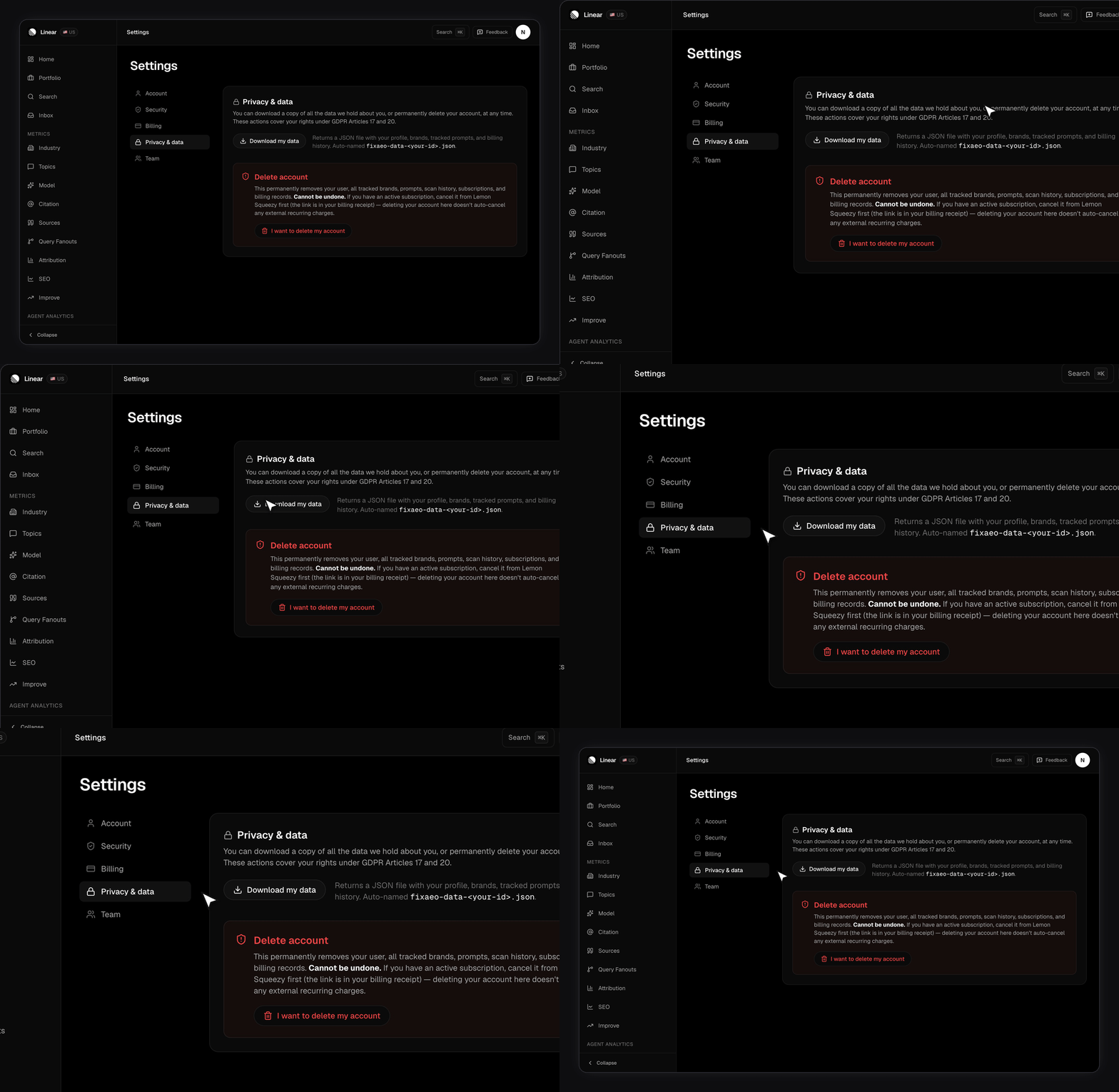
Go to Settings → Privacy & data and click Download my data. You getfixaeo-data-<your-id>.json.
This is the Article 20 portability answer: who you are, the brands and prompts you set up, and what you’ve paid.
brands[].brand_profile, so you don’t need to copy it out of the app by hand. See Your brand profile.
The brands and prompts CSV views above cover the same two lists with more per-row detail, so reach for those if you want a spreadsheet rather than a portability dump.
What’s deliberately left out: raw scan responses and IP logs. Those are omitted because dumping them would be privacy-hostile, not because they’re unavailable.
Your measurements aren’t in the JSON. No snapshots, no mentions, no citations, no rankings. For a complete picture, pair the JSON with the CSV views above —
snapshots and mentions per brand are the two that carry your history.Calling the export endpoints directly
These endpoints authenticate with your session cookie rather than an API key, so the simplest route is to be signed in and paste a URL into the address bar.Related
Security and privacy
Where your data lives, and how account deletion works.
Visibility Score
What the count columns in your CSVs add up to.
Citations
The filters the domains export inherits.
Plans and limits
Brand caps, prompt pool, and rescan frequency.
Usage
What you’ve used against your plan, live.