> ## Documentation Index
> Fetch the complete documentation index at: https://docs.fixaeo.com/llms.txt
> Use this file to discover all available pages before exploring further.
# Your brand profile
> The context FixAEO reads before it writes a single prompt.
Your brand profile is the context every other part of FixAEO reads from.
It's a short, structured description of your company: what you do, what industry you're in, what you sell, and who buys it. FixAEO drafts it for you during setup, and you can edit it any time.
## Why does the profile matter so much?
Because it sits upstream of everything else. The chain runs one way:
An accurate profile gives you better topics. Better topics give you better prompts. Better prompts give you results you can act on.
Break the first link and the rest breaks with it. Say your industry reads "software" when you actually sell payroll software. The topic suggestions aim wide, the prompts miss what your buyers ask, and your [Visibility Score](/metrics/visibility-score) measures the wrong race. Fixing the profile is the cheapest fix in the product.
## What's in it
| Field | What it holds |
| --------------------- | ---------------------------------------------- |
| Description | What your brand does and who you serve |
| Industry | The category you compete in |
| Brand identity | Adjectives that describe your brand |
| Products and services | What you actually sell |
| Scan region | The country FixAEO localizes its AI queries to |
| Audience distribution | The mix of buyer types you sell to |
## How does FixAEO fill it in?
Automatically. Reach the brand profile step with empty fields and FixAEO fetches your homepage. An AI model then drafts your description, industry, identity adjectives, and product list.
Two things to know about the draft:
* It only fills fields you haven't typed into. Anything you've already written is left alone.
* It's best effort. If FixAEO can't read your site, the fields come back blank. Type them yourself and move on.
Read the draft, don't just accept it. Homepages are written to impress, so drafts skew toward marketing language. Rewrite the description in the words a customer would use, not the words your landing page uses.
## Audience distribution
Three preset buyer types, each with an on/off toggle and a percentage:
* **Simple recommendation seeker** — casual and non-technical, wants one name.
* **Informed shopper** — knows the product category, asks about features.
* **Evaluative researcher** — weighs tradeoffs across a decision space.
Enabled rows have to total exactly 100% or you can't continue. The mix feeds the topic suggester.
This matters more than it looks. A recommendation seeker asks "what's the best issue tracker for a small team". An evaluative researcher asks "Linear vs Jira for a 20-person engineering org". Those are different questions, so they need different prompts. Set the mix to match your real funnel.
## Scan region
The scan region is the country FixAEO localizes its AI queries to. It prefills from the country you picked on the first setup step.
You pick a country, not a language. The picker is country-only by design.
A brand gets one scan region, and it's fixed once setup finishes. Every answer carries the region it came from, so keeping it stable keeps your history comparable. Pick the country your buyers are in before you finish setup. The region shows as a flag pill beside your brand name in the sidebar.
## Editing after setup
Everything stays editable. Go to your brand settings and open the brand profile card.
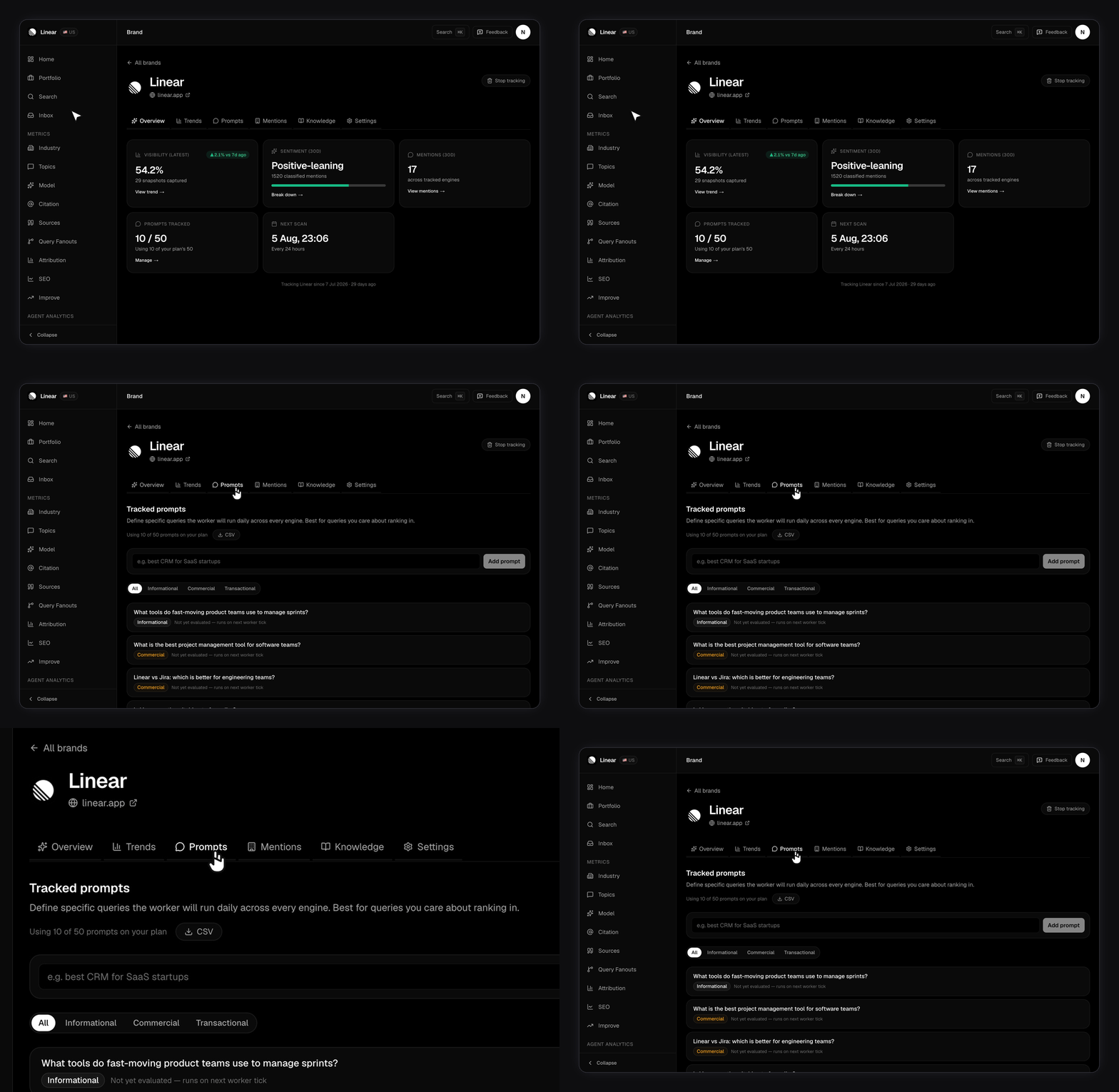 * **Editable:** description, industry, brand identity tags, products and services, audiences.
* **Read-only:** language and time zone, shown under **System fields**.
Your domain is editable too, but it lives one card up under **Brand identity**, not in the profile card. Changing it asks you to confirm first, because it changes the site every future scan is measured against.
Editing one line leaves the rest of the profile alone.
Changing your brand URL during setup refreshes everything derived from the domain: description, industry, identity tags, products, audiences, topics, and prompts. Your brand name, location, language, time zone, and region pick stay as they are. It's a deliberate reset so the new domain gets fresh suggestions.
## Next steps
* [Setting up your prompts](/setting-up-prompts) — turn your profile into the questions FixAEO runs.
* [Topics and labels](/topics-and-labels) — organize prompts once you have more than a handful.
* [Tracking competitors](/competitors) — decide who you're measured against.
* **Editable:** description, industry, brand identity tags, products and services, audiences.
* **Read-only:** language and time zone, shown under **System fields**.
Your domain is editable too, but it lives one card up under **Brand identity**, not in the profile card. Changing it asks you to confirm first, because it changes the site every future scan is measured against.
Editing one line leaves the rest of the profile alone.
Changing your brand URL during setup refreshes everything derived from the domain: description, industry, identity tags, products, audiences, topics, and prompts. Your brand name, location, language, time zone, and region pick stay as they are. It's a deliberate reset so the new domain gets fresh suggestions.
## Next steps
* [Setting up your prompts](/setting-up-prompts) — turn your profile into the questions FixAEO runs.
* [Topics and labels](/topics-and-labels) — organize prompts once you have more than a handful.
* [Tracking competitors](/competitors) — decide who you're measured against.